Keeps your folder tree intact
Export whole folders — nested subfolders and all — exactly as they sit in SAP Logon. Nothing gets flattened.
BasisToolkit's SAP Logon Transfer copies your system list from one PC to another with folders, routers and logon groups intact — and never touches a password.
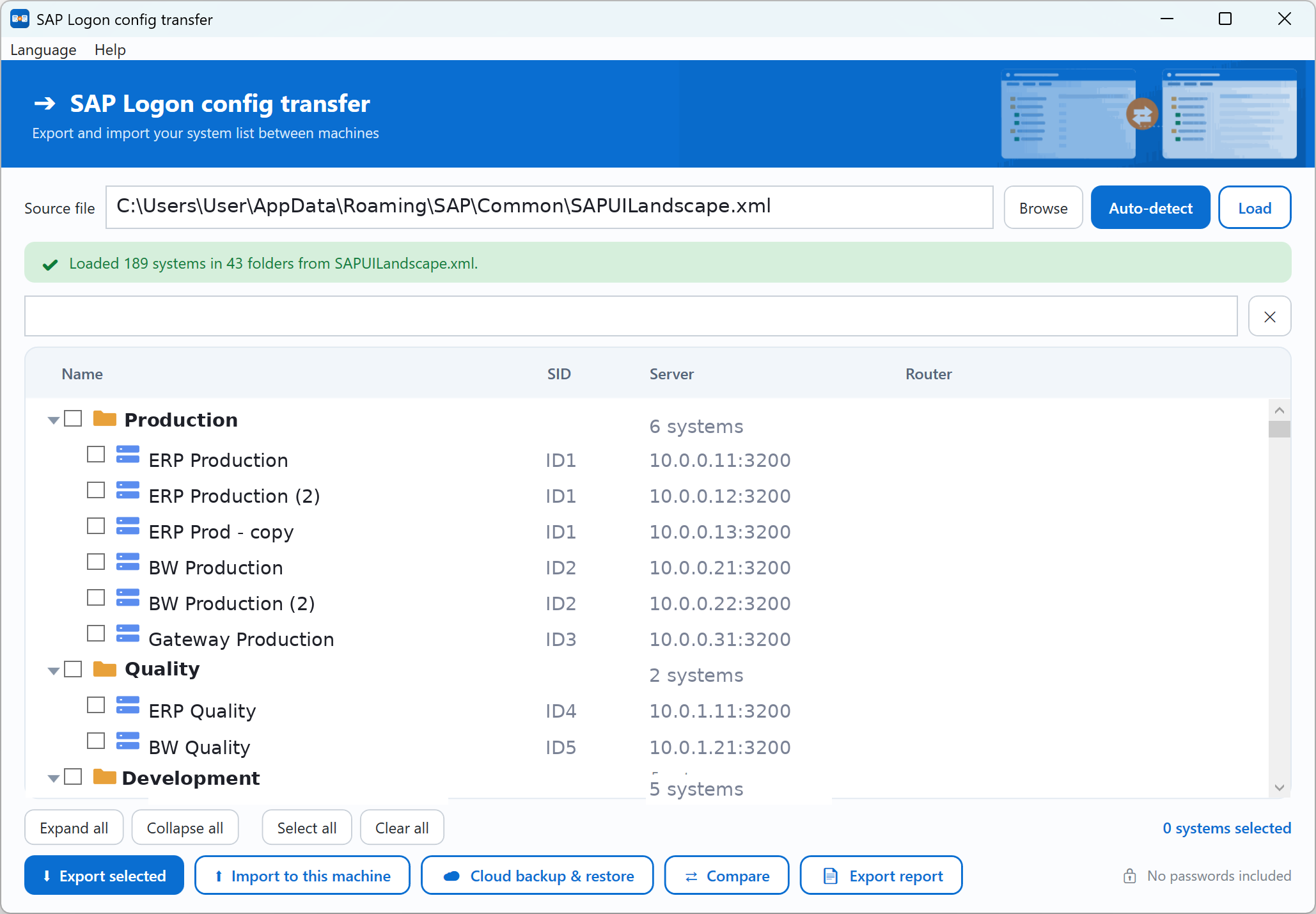
auto-detects your SAP connections
Every SAP Logon export tool copies a file. This one understands what's inside it.
Export whole folders — nested subfolders and all — exactly as they sit in SAP Logon. Nothing gets flattened.
Systems already on the target machine are skipped, not duplicated. You see in red what will be blocked before anything is written.
When a system references a SAP router or logon group, those dependencies travel with it — so the connection still works on the other machine.
Export your whole configuration or just part of it, so you can share exactly the systems a colleague needs — or keep a backup in your OneDrive, Google Drive or Dropbox folder.
English, 日本語, Français, Deutsch, 简体中文, ไทย and Tiếng Việt — switch from the menu, the whole UI follows.
Only connection details move — system list, servers, routers. SAP Logon never stores passwords in these files, and neither does the tool.
Auto-detect finds the SAP connections on your computer, or point it at any file you exported.
Tick whole folders or single systems. Search filters hundreds of entries in a keystroke.
Write a file to share, or push a backup to your cloud folder. Filenames are named for what you exported.
Preview shows new vs. duplicate, a .bak is written first, then only the new systems are added.
Carry your whole system list to a replacement laptop without retyping a single connection.
Read → How-toStep-by-step install: getting the installer, choosing components, and adding your first system.
Read → How-toSave your connections so you can restore them in seconds after a wipe or new PC.
Read →Export your system list from the old machine with SAP Logon Transfer, copy the file across (or use cloud backup), then import it on the new machine. Folders, routers and logon groups are carried over, and you never retype a connection.
Yes. You can export your whole configuration or just selected folders and systems, so you share exactly the connections a colleague needs — nothing more.
No. It only handles connection details — system IDs, servers and routers. SAP Logon never stores passwords in these files, and neither does the tool.
Yes, it is free software. It runs on Windows 10 and 11, needs no installation, and requires no .NET runtime — it's a single portable .exe.
No. Before importing, a preview shows which systems are new and which already exist. Duplicates are blocked, only new systems are added, and a backup is written first.
Free, portable, and yours to keep. Works on Windows 10 and 11.